Thoughts on the Fairphone Gen. 6
2026-08-23
Why even buy a new phone?
For a few years I had been using the Fairphone 3+, which is just the Fairphone 3 but with an upgraded camera module. This was still doing its job just fine when messages from Fairphone, the company, came in. Support would end soon. In fact, by the time this text reaches your eyeballs, it has ended. Options for the future of my personal mobile computing included continuing to use the phone as is, without security patches, and switching to some operating system other than Android, with community support. Both of these would have meant either ending my use of apps relating to banking and health insurance or breaching contracts with the respective providers. These explicitly require me to use their apps only on Android or iOS with ongoing security updates.
The option I settled for is the obvious one: Acquisition of a new device. My search started with the definition of some metrics to serve as requirements. These requirements skipped over what I assumed to be default features and instead focused on things not every offering could satisfy.
- Physical dimensions: The Fairphone 3 was not my first phone. Before that I used a Blackberry Leap. Among the differences between those two is the size. The Fairphone 3 was noticeably larger, as was the Blackberry Leap when compared to its predecessor. I had no intention of keeping this trend alive.
- Operating System support: Whatever phone I ended up buying should satisfy the requirements that disqualified continued use of the Fairphone 3 and continue to do so for a long time.
- User replaceable battery: There is little point to long software support if the battery dies halfway through the lifecycle and takes the rest of the phone with it when doing so. The phone's end of life should be independent of the battery's.
- A 3.5mm audio jack: There are many reasons for my wanting one of those. They include not having to charge my headphones and not getting in trouble with my bank after hanging up on them because I didn't hear anything. (The phone was connected to bluetooth headphones half an office building away.)
As far as I can tell one can have at most three of these things at once, regardless of budget. The Fairphone Gen 6 (Why just "Fairphone 6" would not do as the name is beyond me) has nearly identical dimensions, support until at least 2033 and a replaceable battery. The headphone jack is missing. Other phones I took a closer look at were the Gigaset GS6, which is larger and lacks on year of support as well as the replaceable characteristic of the battery, in addition to the headphone jack. If one wanted the headphone jack that would come with an even larger body and significantly less software support, but at a lower price and with a replaceable battery in the form of the Samsung Galaxy XCover6 Pro Enterprise Edition. I decided to compromise on the headphone jack, as that could be easily retrofitted using an adapter, or so I thought.
The hardware
When first picking up the phone a few things stood out. Firstly, the three camera bumps on the back. For someone used to the nearly flat Fairphone 3 these are substantial. Unfortunately it seems like these were not considered in the spec sheet when noting the dimensions. Laying the phone on its back results in a wobbly state. On the right side the device features a brightly colored switch, which by default opens some AI assistant. Fortunately, the settings allow for other functions, like controlling the flash light or doing nothing at all. While this switch is rather stiff and not all that easy to toggle on purpose, it can get caught on the pocket, resulting in illuminated (or AI assisted) trousers. Its sticking out the side hinders placing the phone down on the side.
The Fairphone 3 is quite blocky and capable of resting on any of its six surfaces, eliminating the need for some additional stand. The Fairphone Gen 6 is even blockier, with the back's edge being significantly less rounded. The aforementioned protruding switch prevents a stable stand on the right side, and the volume controls do the same on the left, meaning no more horizontal standing.
The standing capabilities may not be much of a loss, but the sharp edge also makes the phone feel larger and less comfortable to hold. At the same time it is noticeably heavier. Once used to this weight, the Fairphone 3 feels cheap in comparison.

It can take pictures.
Having three bumps to house the photographic imaging hardware is not all bad, for it allows the camera to be a significant upgrade. How much of this is actually due to the hardware and what is done in software is unknown to me, but the results are what counts. The improvements include a 2x zoom and HDR functionality. What might matter most though is the addition of a virtual dial controlling exposure time in the pro mode of the default camera app. With this, one can finally capture LED matrix displays as used for passenger information on trains in a useful manner.
The screen then allows for reviewing those pictures in stunning colors. Even after changing the color profile from "Boosted" to "Balanced". Thanks to the high refresh rate switching between the pictures you view is satisfyingly smooth. The smoothness is also noticeable elsewhere, speaking to the advanced processing power of the device. Even OsmAnd~ runs so perfectly that just the idea that it could be stuttery on other hardware seems ridiculous.
The screen isn't all good though. While the camera notch on the top does not bother me, much to my surprise, the small margins on the remaining edges do. Again and again the phone does not respond to my inputs because I happen to dare hold it in my hand, touching the screen at the very edge, thus turning the one-finger-gesture into an unrecognized two-finger-gesture.
Once one is done looking at the pictures one might want to share them. This has been possible for a while, simply connect to the WiFi of whatever train you are on and send whatever you want to send. With the Fairphone Gen 6 being new, you can even make use of newer WiFi standards, though your upload will still be limited either by the train's uplink or the server you are connected to. Should you wish to bypass the WiFi you can make use of 5G, though I haven't experienced any noticeable improvement over 4G with it.
What if you want to share what is shown on your screen rather than infront of the phone? Just send one of the many, many screenshots you will take accidentally whenever trying to press either the power or volume down button. Those two together are used to take a screenshot and they are placed on opposing sides, with just the right offset to make you press one when meaning to press the other and vice versa. Only intentionally pressing them both at the same time is difficult and often leads to changing the volume or sending the phone to sleep.
The back cover of the Fairphone 3 could be easily popped off. In fact, when dropping the phone on the floor it came off on its own sometimes. Removing the back cover revealed the battery, which could also be removed without any tools, in turn revealing the slots for microSD- and SIM-cards. The Fairphone Gen 6 is a downgrade in this regard. The cards now live in a tray which must be freed from the chassis using a SIM removal tool. This requires some poking around in a tiny hole and a lot of patience. The battery is still hidden behind the back, which is held in place by screws, requiring a screwdriver for access. This may result in the back not falling off on its own, but it also means that expected maintenance actions are not toolless, even though they previously have been. In addition, the back cover of my unit is slightly misaligned with the rest of the phone, always poking out to right by just enough to be noticeable. The back of the Fairphone 3, even after countless removals (intentional and otherwise) and reapplications, always sat right where it was supposed to.
The software
This was my first time switching from an Android phone to another Android phone. So far, I have always had to set everything up from zero. The Fairphone Gen 6 came with a little booklet recommending connecting it to the previous phone with a cable to transfer data. This I did. Media was copied just fine, as were the settings for some apps, but not all. VLC for example still remembers the old media paths, but can't find the files, because the path has changed. While copying the data, the phone claimed that is was also copying installed apps. It did not. What it did do was transfer a list of apps installed from the Google Play Store and then install those after the transfer was done. Downloading all these apps after claiming to be done was not much of an issue for me, but for someone with slow internet it might have been. Apps installed from elsewhere, like FDroid, had to be reinstalled manually. But hey, at least the configured alarms and wallpaper were transferred.
This is not the only occasion on which Fairphone's slightly modified Android 16 tries to push Google services. Many basic functions are provided by Google apps. Want to look at your pictures? How about you log in to Google to use the full potential of Google photos. Same with browsing files, email, calendar, notes and browsing the web (though at least for that it prompts you which browser you would like to use, thanks to the EU. But even when choosing something other than Chrome, it still has Chrome installed as well). Swiping from the left on the home screen brings up another Google search feature. My first few weeks with the phone with littered with instances of having Google blasted in my face, followed by me scouring through the settings and FDroid to fight this.
After fighting Google for a few weeks I was left with a phone that mostly works without getting in my way. There are still annoying things, like the lock screen not displaying when the alarm will go off (it did that on the FP3), applications relying on constantly present notifications to be able to do their job and apps (including the third party keyboard) spontaneously deciding to not use part of the screen. There is just one truly bad thing about it:
The audio situation
There are situations in which I like to listen to music using the phone. Be it while working in a kitchen using Tidal connect or the phone's builtin speakers, or while traveling using some headphones. All of this worked just fine on the FP3. The Fairphone Gen 6 is terrible at it.
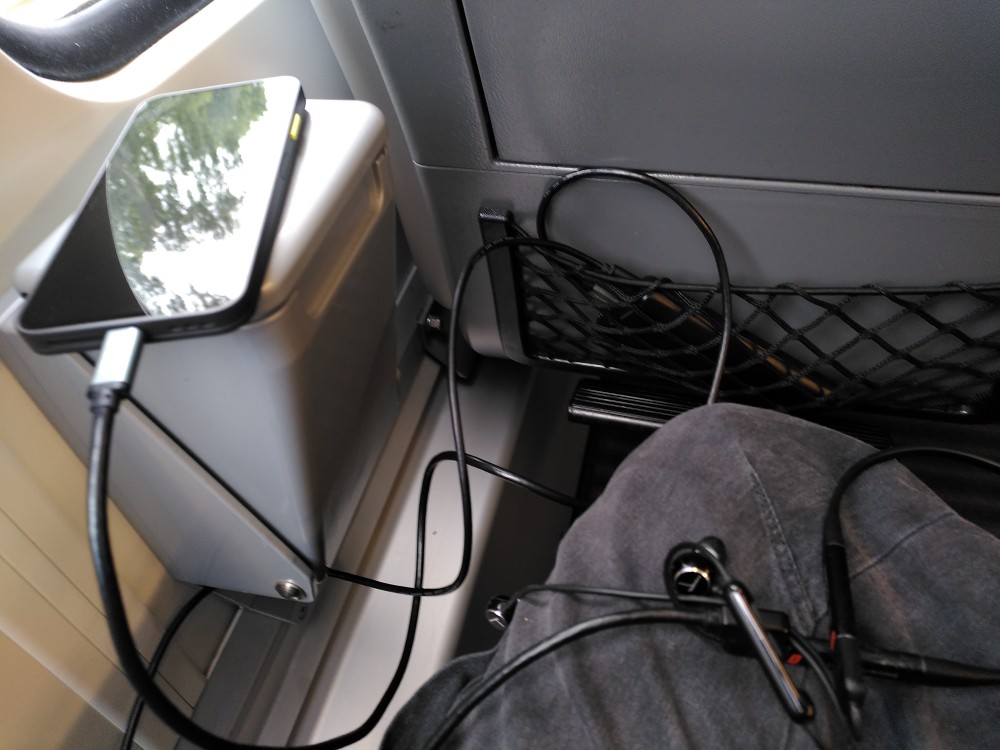
Thanks to the audio being wireless, you only need cables for power.
I previously mentioned my preference for wired audio. My reasoning is not quality or price, but convenience. Wireless audio has one decisive advantage: The mobility relative to the data source. The data source is a mobile phone in this case, so this advantage is null. Minimalism and the lack of cables are matters of preference I do not particularly care for. What I do care for is knowing where my audio will come from. With wired headphones this is simple: Headphones plugged in → sound comes from the headphones. Headphones not plugged in → sound comes from the phone itself. Wireless headphones hide this information, resulting in situations like the one described above, where I could not hear the person calling me because their voice was coming from a headphone several dozen meters away. Unfortunately, phone makers have decided that personal preference is a lie and just stopped putting headphone jacks in their devices.
I found retrofitting a 3.5mm jack to be not as easy as it seems. When ordering the phone I also ordered a USB-PD capable USB-C to USB-C and 3.5mm adapter in the form of a cable splitting in two. After all, a cable is exactly what I want, so this looked like the right form factor. After a few minutes of charging the phone through it the power connector got so hot that I worried that it might be dangerous, so this thing is brand new e-waste.
There were other issues with it, too: Plugging the power cable in or out always resulted in any media being played being paused, with too early unpausing resulting in the sound coming from the phone's speakers. In addition it refuses to send an audio signal when the sound is too quiet, resulting in awkward abrupt pauses in some music, particularly noticeable at the beginning of "Oh Well (Black Light Odyssey Dub)" on Depeche Mode's "Sounds of the Universe" album. These issues also exist with the cooler, ridiculously bulky replacement.
So wired audio doesn't work. At least the built in speakers do, right? Their sound is sufficient, even at cooking friendly volume. However, rotating the phone results in the audio briefly cutting out. I do not know why this happens, my only guess is that it is related to stereo considerations. Even so, the FP3 did not suffer from this.
There is still bluetooth, the future of audio, apparently. Except this does the same thing, even though the phone's rotation should have no relevance to external headphones' stereo sound. And it is not just rotating the phone. Some apps can cause these jarring cut outs on their own. Imagine you are sitting on a train, listening to music on your bluetooth headphones (which hopefully you remembered to charge), and looking at your connection details in DB Navigator. Maybe you should refresh the view, as the data is a couple minutes old. Bam, sound's gone (briefly). Why?
Thoughts on the Fairphone Gen. 6 © 2026 by Andreas Hurka is licensed under CC BY 4.0
